Blank Text Generator (ㅤ) — Invisible Character Copy Paste
Copy blank text, invisible characters, empty spaces and blank messages in one click. Use this free blank text generator for WhatsApp, Instagram, Discord, usernames and online forms.
Invisible Chat Generator
Use this invisible chat generator to create blank messages, invisible text and empty characters for WhatsApp, Instagram, Discord and other chat apps. Simply copy the invisible character, paste it into your chat box, username field or message area, and send or test it instantly.
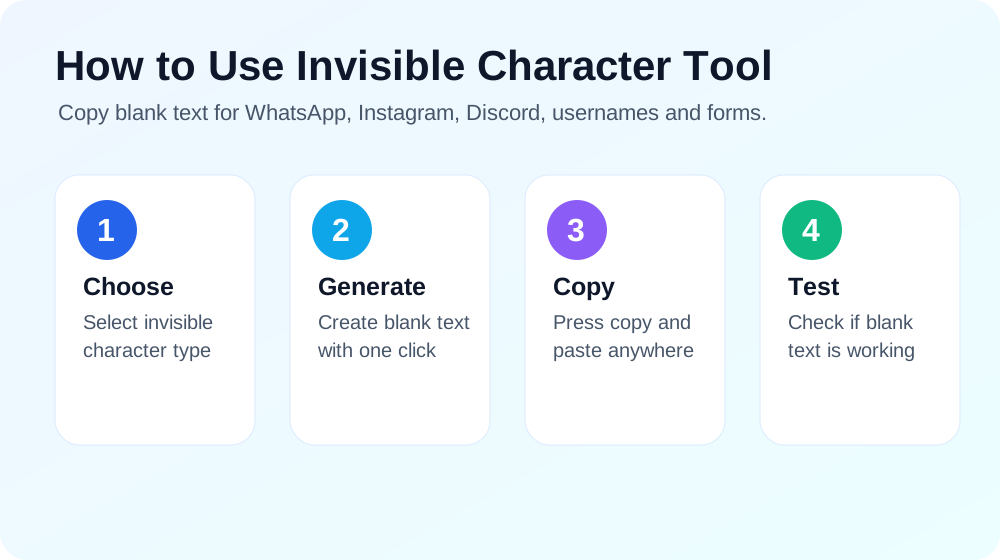
Click any button to copy invisible text.
Preview will appear here. The text may look empty because it is invisible.
Test Blank Text
Paste your copied invisible character below to check if it works.
What Is an Invisible Character?
An invisible character is a special Unicode character that exists in text but does not appear like normal letters, numbers or symbols. It may look like an empty space, blank message or completely invisible text, but the character is still present when you copy and paste it.
People use invisible characters for blank messages, empty usernames, social media spacing, hidden separators, gaming names and online forms that do not accept normal blank spaces. This invisible character copy paste tool makes the process simple because you can copy the blank text with one click.
Invisible Chat Generator
This invisible chat generator helps you create blank messages, invisible text and empty spaces for different chat apps. If an app does not allow a completely empty message, you can copy an invisible character from this page and paste it into the chat box. The message may look blank, but it still contains a hidden Unicode character.
You can use this for WhatsApp blank messages, Instagram comments, Discord messages, blank-looking usernames, gaming names and profile formatting. Different platforms handle invisible Unicode characters differently, so try more than one option if the first character does not work.
Invisible Space Copy and Paste
If you searched for invisible space copy and paste, space to copy and paste, or blank space copy paste, this tool gives you multiple invisible space options. A normal spacebar space is often removed by apps and websites, but special blank characters can remain in the text field.
Use invisible space when you need a blank-looking gap, hidden separator, profile spacing, caption formatting or a clean empty line. The copy buttons above let you copy one invisible space, multiple blank characters or a custom blank text length.
Blank Character Copy and Paste
A blank character looks empty, but it is not the same as pressing the spacebar. It is a Unicode character that can be copied, pasted and detected by many apps. This is why blank character copy and paste tools are useful for usernames, messages and forms that do not accept regular empty spaces.
Start with the Hangul Filler option. If it does not work on your app, try Braille Blank, Zero Width Space or Zero Width Non-Joiner. One of these options usually works better depending on the platform.
Blank Name and Invisible Username
Many users search for blank name, invisible name copy paste and invisible username generator because they want a profile name that looks empty. You can copy an invisible character from this page and paste it into a name field to test whether the platform allows it.
Blank names may work on some apps, games and social platforms, while others may block invisible names. Always use invisible usernames responsibly and avoid impersonating other people or creating confusing profiles.
How to Send a Blank Message on WhatsApp
Most messaging apps do not allow you to send an empty message by pressing the spacebar. If you type normal spaces, the app may remove them automatically. An invisible character solves this problem because it is not a normal space. Copy the invisible character from this page, paste it into your WhatsApp chat and send the message.
If the first option does not work, try the Braille Blank or Zero Width Space option. Different apps handle Unicode characters differently, so having multiple blank character options is useful.
How to Use Invisible Text on Instagram
Invisible text can be used on Instagram for bio spacing, captions, comments and profile formatting. For example, you can create cleaner line breaks in your bio or add blank-looking separators between text sections. You can also use invisible characters with stylish text and Instagram bios to make your profile look more unique.
Invisible Character for Discord and Usernames
Many users search for invisible name copy paste because they want a blank-looking username or nickname on different platforms. Some platforms allow invisible characters, while others block them. If one blank character is not accepted, try another Unicode option from the tool above.
For Discord, gaming profiles and online communities, invisible characters can also be used as separators in names or messages. Always use them responsibly and avoid impersonating other users or creating confusing names.
Blank Text Generator
The custom blank text generator lets you create a longer invisible text string. Enter the number of blank characters you want and click generate. This is useful when you need a bigger blank message, more empty spacing or a longer invisible text block.
Frequently Asked Questions
What is an invisible character?
An invisible character is a Unicode character that exists in text but does not display like a normal visible character.
Can I copy blank text from this page?
Yes, click any copy button above to copy invisible text, invisible spaces or blank characters instantly.
Can I send a blank message on WhatsApp?
Yes, copy an invisible character from this tool, paste it into WhatsApp and send it as a blank-looking message.
Does invisible text work on Instagram?
Yes, invisible characters can be used for Instagram bio spacing, captions and comments, depending on how Instagram handles the character.
Which invisible character should I use?
Start with Hangul Filler. If it does not work, try Braille Blank, Zero Width Space or Zero Width Non-Joiner.
What is the difference between invisible space and blank character?
Invisible space usually creates a blank-looking gap, while a blank character is a Unicode character that may appear empty but still exists in the text field.
Final Thoughts
An invisible chat generator is useful when you need blank text, empty messages, invisible spaces, blank names or hidden text formatting. Use the buttons above to copy a blank character, test it, and paste it wherever you need it.