
Converting a Word document into a PDF is one of the most common tasks for students, professionals, writers, businesses, and freelancers. Whether you are sending a resume, assignment, invoice, report, contract, or official document, PDF is usually the best format because it keeps your formatting clean and makes the file easy to share.
The good news is that you do not need to install any software to convert Word to PDF. With a free online Word to PDF converter, you can upload your DOC or DOCX file, convert it instantly, and download a PDF version within seconds.
In this guide, you will learn how to convert Word to PDF online for free, why PDF is better for sharing documents, and how to keep your formatting clean during conversion.
Use MyToolHub's free Word to PDF converter and turn your DOC or DOCX file into a PDF instantly.
Use Free Word to PDF ConverterWhat Is a Word to PDF Converter?
A Word to PDF converter is an online tool that changes Microsoft Word documents into PDF files. Word documents usually come in DOC or DOCX format, while PDF stands for Portable Document Format.
The main benefit of converting Word to PDF is that your document looks the same on almost every device. Fonts, images, spacing, tables, and layout stay more consistent compared to sending a Word file directly.
For example, if you send a DOCX file to someone who uses a different version of Microsoft Word, the formatting may shift. But if you send a PDF, the document is more likely to appear exactly as you intended.
How to Convert Word to PDF Online
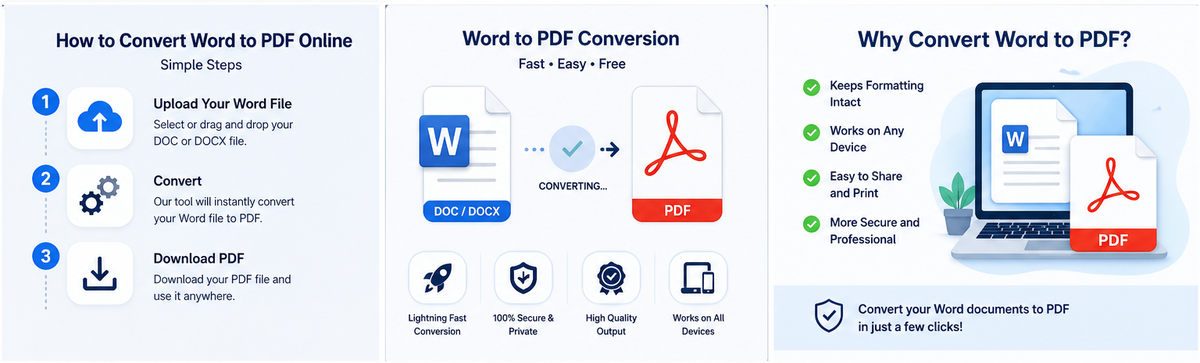
Using an online Word to PDF converter is very simple. You can convert your Word document in just a few steps:
- Open the Word to PDF converter tool.
- Upload your DOC or DOCX file.
- Click the convert button.
- Wait for the tool to process the file.
- Download your converted PDF file.
That is it. You do not need Microsoft Word, Adobe Acrobat, or any extra software. The whole process works directly in your browser.
Why Convert Word Documents to PDF?
There are many reasons why people prefer PDF files over Word documents.
First, PDF files are easier to share. You can send them through email, upload them to websites, attach them to job applications, or share them with clients without worrying about formatting issues.
Second, PDF files look professional. A resume, business proposal, invoice, contract, or report usually looks more polished when it is saved as a PDF.
Third, PDF files are better for printing. When you print a PDF file, the layout is more likely to remain the same. This makes PDF ideal for official documents, certificates, forms, and business files.
Finally, PDF files are compatible with almost every device. Whether someone opens your file on a laptop, tablet, or mobile phone, they can view it without needing Microsoft Word.
Supported File Types: DOC and DOCX
Most Word to PDF converters support the two most common Word file formats: DOC and DOCX.
DOC is the older Microsoft Word format, while DOCX is the newer format used by modern versions of Microsoft Word. If your file ends with .doc or .docx, you can usually convert it to PDF online without any problem.
This is useful for students submitting assignments, job seekers sending resumes, businesses sharing reports, and anyone who needs a clean PDF version of a Word document.
Convert Word to PDF Without Installing Software
One of the biggest advantages of using an online Word to PDF converter is convenience. You do not need to download or install anything.
This is especially useful if you are using a public computer, school computer, office device, Chromebook, or mobile phone. Just open the tool in your browser, upload the Word file, and download the PDF.
An online converter saves time and avoids the hassle of setting up software. It is also helpful when you need to convert a file quickly and do not have access to Microsoft Word.
Tips to Keep Word Formatting Clean
To get the best result when converting Word to PDF, make sure your Word document is properly formatted before uploading it.
Use standard fonts like Arial, Calibri, Times New Roman, or similar common fonts. Avoid overly complex formatting if you want the PDF to look clean on every device.
Check your margins, headings, spacing, images, and tables before conversion. If your Word file already looks clean, the converted PDF will usually look much better.
Also, make sure the file is not corrupted and that images inside the document are properly inserted. This helps the converter create a high-quality PDF output.
Can You Convert Word to PDF on Mobile?
Yes, you can convert Word to PDF on mobile using an online converter. You can upload a DOC or DOCX file from your phone, convert it online, and download the PDF directly to your device.
This is helpful for students, remote workers, freelancers, and anyone who needs to send documents quickly while using a mobile phone.
You do not need a desktop computer or a special app. A browser is enough.
Is It Safe to Upload Word Files Online?
When using any online file converter, it is important to choose a reliable tool. Avoid uploading private, sensitive, or confidential documents to unknown websites.
For normal documents like assignments, general reports, resumes, and simple files, online conversion is a fast and convenient option. However, for highly confidential business, legal, or financial documents, always be careful and use trusted platforms.
Upload your Word file and download a clean PDF version in seconds.
Convert Word to PDFFrequently Asked Questions
Is Word to PDF conversion free?
Yes, you can convert Word to PDF online for free using a free Word to PDF converter.
Can I convert DOCX to PDF online?
Yes, DOCX files can be converted to PDF online using a browser-based converter.
Can I convert Word to PDF without installing software?
Yes, online Word to PDF tools allow you to convert files without installing Microsoft Word, Adobe Acrobat, or any other software.
Will my Word formatting stay the same after converting to PDF?
In most cases, your formatting will stay clean if your Word file is properly formatted before conversion.
Can I convert Word to PDF on mobile?
Yes, you can convert Word files to PDF on mobile using an online converter through your browser.
What is the difference between DOC, DOCX, and PDF?
DOC and DOCX are editable Microsoft Word document formats. PDF is a fixed document format designed for easy sharing, viewing, and printing.
Final Thoughts
Converting Word to PDF online is one of the easiest ways to make your documents look clean, professional, and easy to share. Whether you are preparing a resume, assignment, invoice, report, or business document, PDF is a reliable format that works across devices.
With a free online Word to PDF converter, you can quickly upload your Word file, convert it into PDF, and download the final document in seconds.
Use MyToolHub's free Word to PDF converter today and turn your DOC or DOCX files into high-quality PDF documents without installing any software.